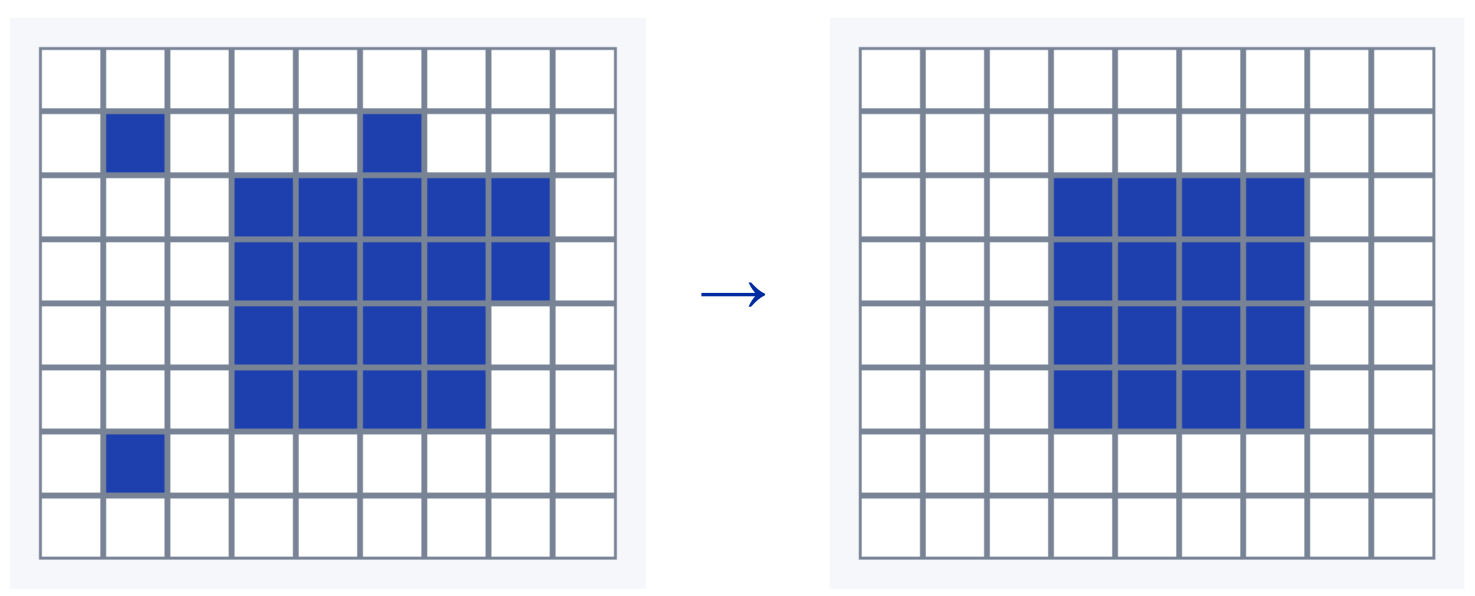
Opening removes small foreground regions and thin protrusions from a binary mask. It applies Erosion first, then Dilation, using the same structuring element, also called a probe, for both steps.
Erosion removes parts where the probe cannot fit and shrinks the larger objects. Dilation then grows the remaining parts back, so the main objects can return close to their original size.
Main idea
Remove small parts first, then grow the remaining parts back. The dilation step uses the erosion result as its input.
This sequence is the standard definition of opening. MathWorks describes both steps.
How Opening Works
Step 1: Erode the Original Mask
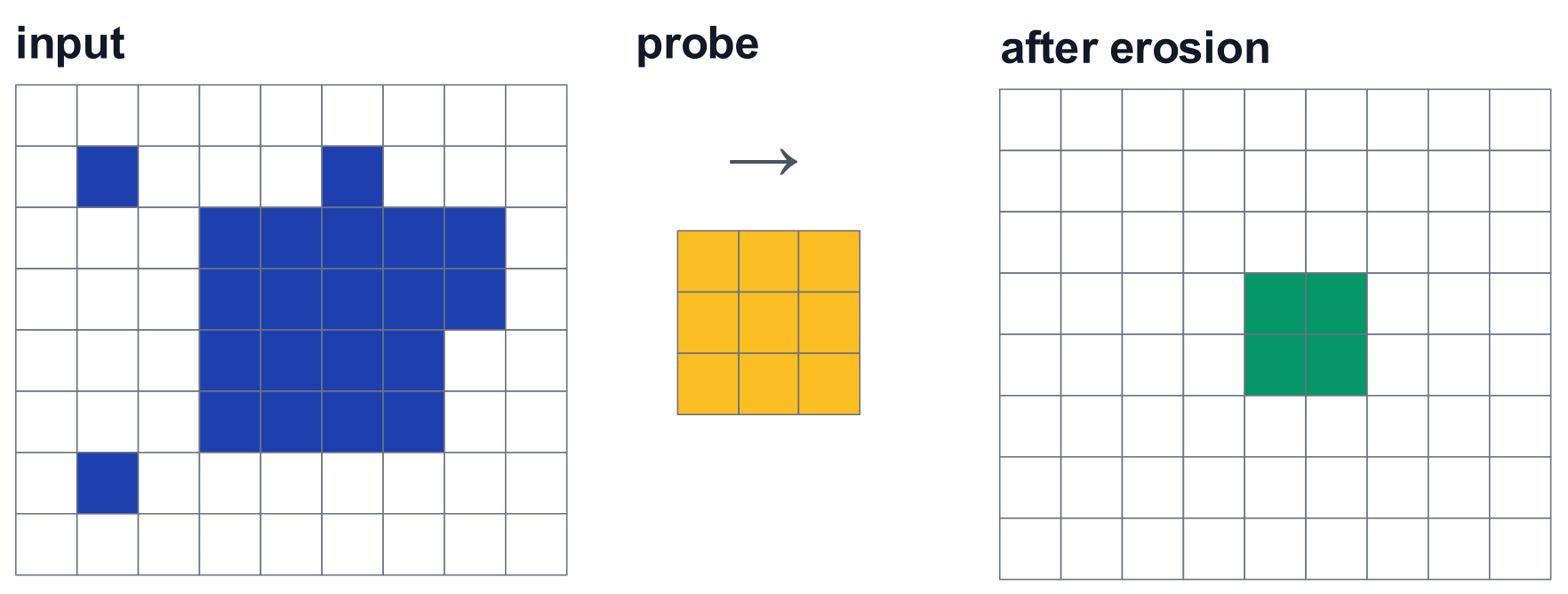
Place the probe's anchor at each position. Keep that position only when every active probe cell covers foreground.
After erosion:
- Small isolated regions disappear if the probe cannot fit inside them
- Thin protrusions can disappear
- Larger objects shrink to their remaining interior pixels
Step 2: Dilate the Erosion Result
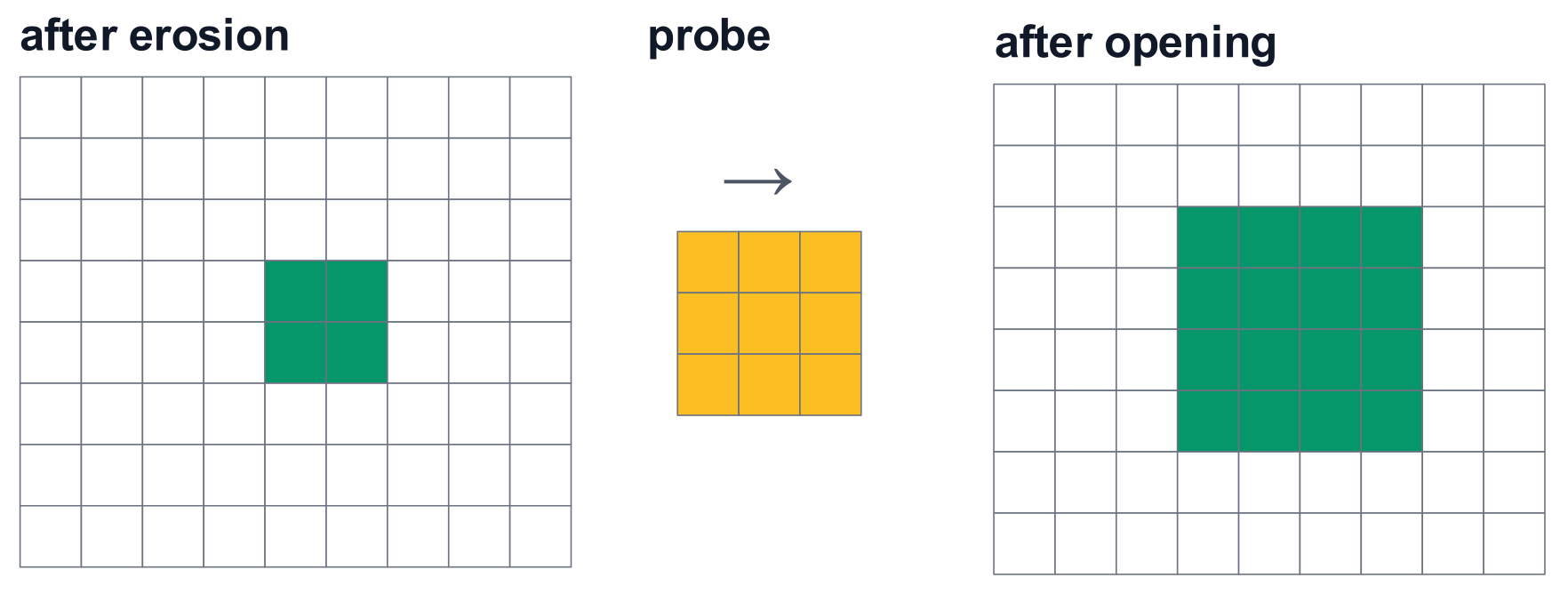
Place the same probe's anchor on each foreground pixel that remains. Mark all positions covered by its active cells as foreground in the final output.
After dilation:
- The remaining interior regions grow outward
- Much of the main object's boundary can be restored
- Isolated speckles removed during erosion stay removed
Use the correct input for the second step
Finish erosion first. Then apply dilation to that result. Applying dilation to the original mask would also enlarge the original speckles.
Worked Example: Remove Speckles and a Thin Protrusion
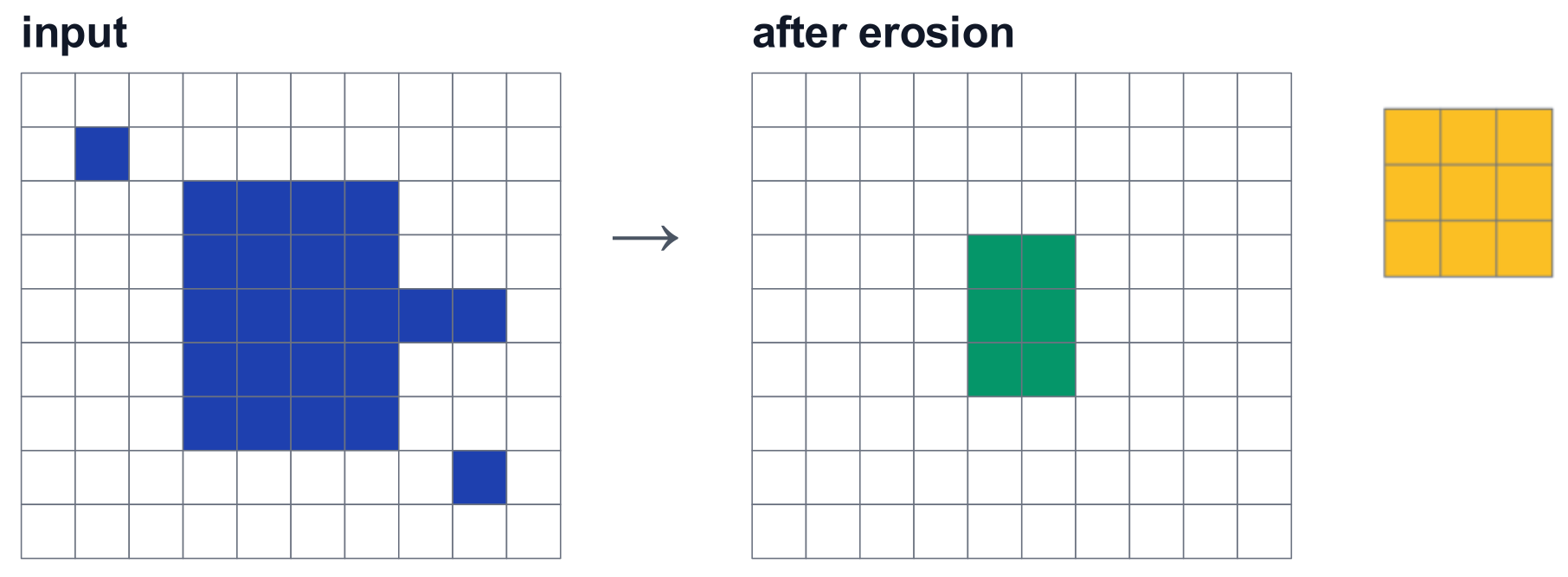
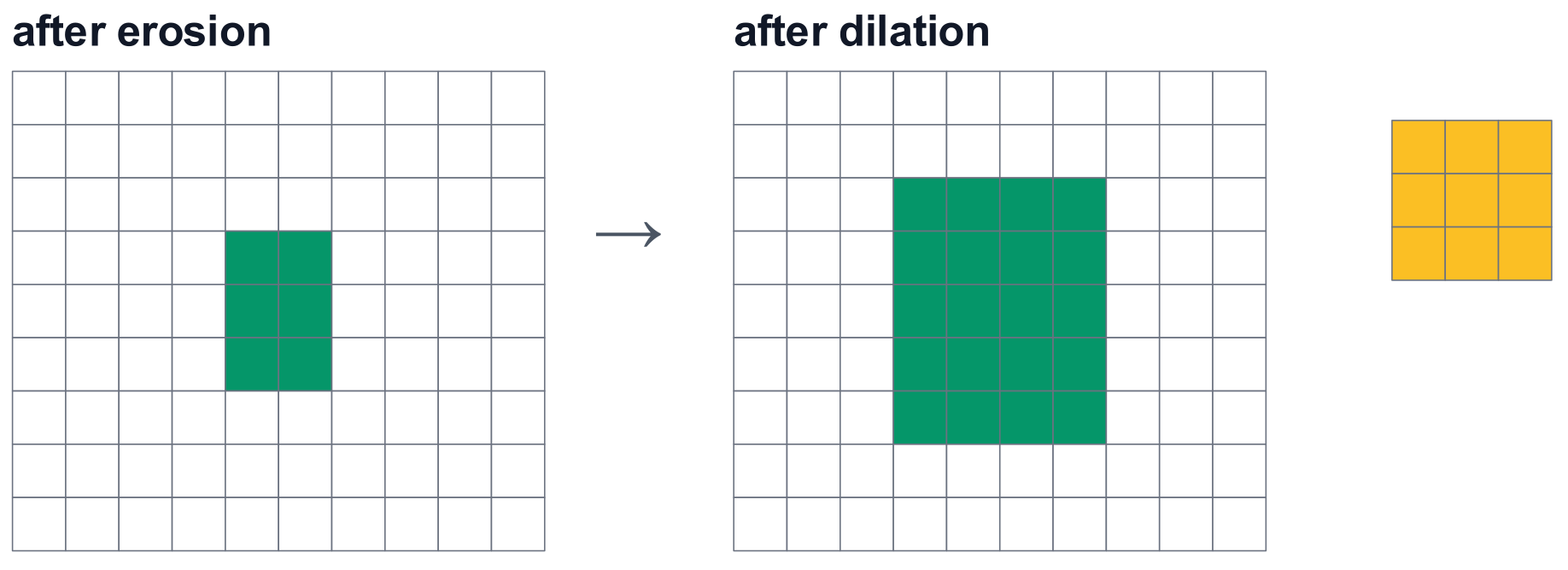
Use a 3-by-3 square probe with its anchor at the centre for both the erosion and dilation.
What happens:
- Erosion: The rectangle shrinks to 3 rows by 2 columns. The two speckles and the thin protrusion disappear
- Dilation: The remaining rectangle grows back to 5 rows by 4 columns
- Final result: The main rectangle keeps its original size, while the speckles and protrusion are removed
Why can the rectangle grow back while the speckles stay removed?
The rectangle still has foreground pixels after erosion. These pixels produce the dilation output. Each isolated speckle has disappeared completely, so it has no remaining pixel on which to place a probe.
Understanding the Equation
Meaning of each symbol:
| Symbol | Meaning |
|---|---|
| Original foreground region | |
| Structuring element used in both steps | |
| Opening | |
| Erosion | |
| Dilation |
Evaluate the brackets first: erode with , then dilate that result with . SciPy defines opening in this order.
Opening Compared with Erosion Alone
| Operation | Effect on small foreground regions | Effect on the main object |
|---|---|---|
| Erosion | Removes regions that cannot contain the probe | Leaves the object smaller |
| Opening | Removes regions that cannot contain the probe | Grows the remaining object back toward its original size |
Choose opening when the aim is to remove foreground noise while keeping the main object's overall size close to the original.
Some useful detail can be removed
Fine protrusions, narrow connections, and small objects can disappear. The main rectangle is restored exactly in the example, but other shapes can lose boundary detail.
Choosing the Probe
Choose the probe to fit the structures that should remain:
- A square can remove small speckles while retaining larger rectangular regions
- A disk can suit compact objects with curved boundaries
- An aligned line can retain long thin structures while removing shorter regions that cannot contain the line
The condition is whether the probe fits, rather than pixel count alone. A long thin region can have many pixels and still disappear under a square probe.
Check the shape and size together
Use a probe that fits the wanted structures and is too large to fit inside the unwanted regions. A larger probe can remove more useful detail.
Uses
Typical uses:
- Remove isolated detections from an object mask
- Remove small particles or speckles
- Trim thin protrusions from larger regions
- Break narrow foreground bridges when the probe cannot fit inside them
For reliable results, use the same probe and anchor in both steps. Keep each step's input fixed while calculating its output, and define the treatment of pixels outside the image.