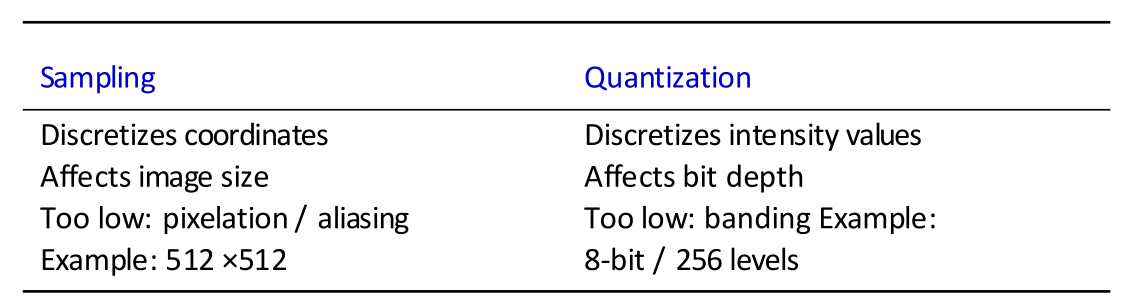
Key Methods used for conversion
- Spatial Sampling
- Intensity Quantization
1. Spatial Sampling
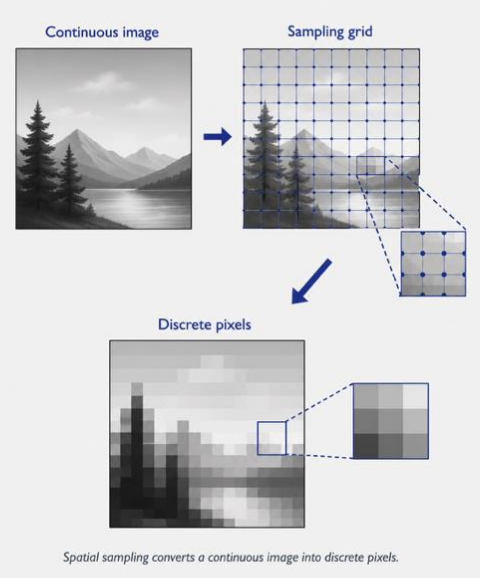
The above image shows how we sample an image. Spatial resolution describes how many pixels we sample from the image. Common notation is H x W. Examples are 256 x 256, 1024 x 1024. Higher resolution means more spatial detail is preserved. Low resolution causes pixelation.
2. Intensity Quantization
Quantization discritizes image intensity. This is something like we get analog RF signals from the air, and then in order to convert them to digital (with discrete magnitudes) we have to quantize it. It is normally in 8 bit which is 256 levels.
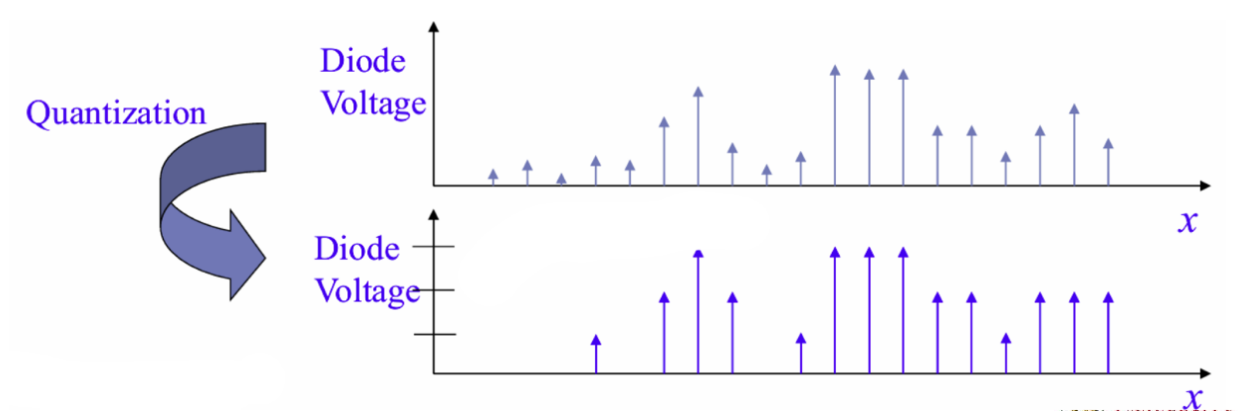
The above image shows how quantization works.
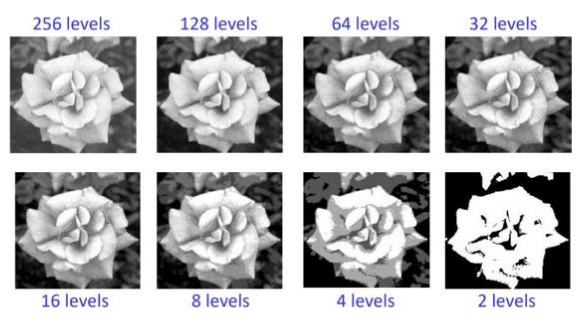
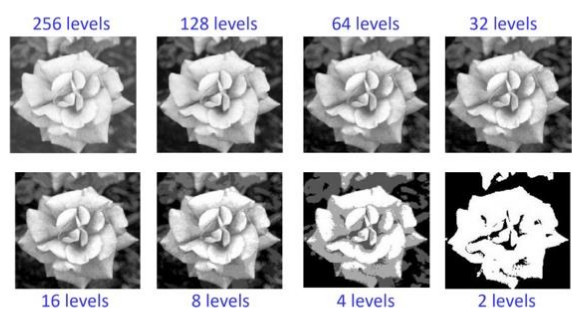
The above image shows the different levels of quantization. If we have more quantization levels, for example 8 bit (giving us 256 levels), we would have the highest gray-level resolution, thereby preserving smoother shading. Fewer gray levels create banding or false contours.
Bit depth controls gray-level resolution.
3. Comparing both Sampling and Quantization
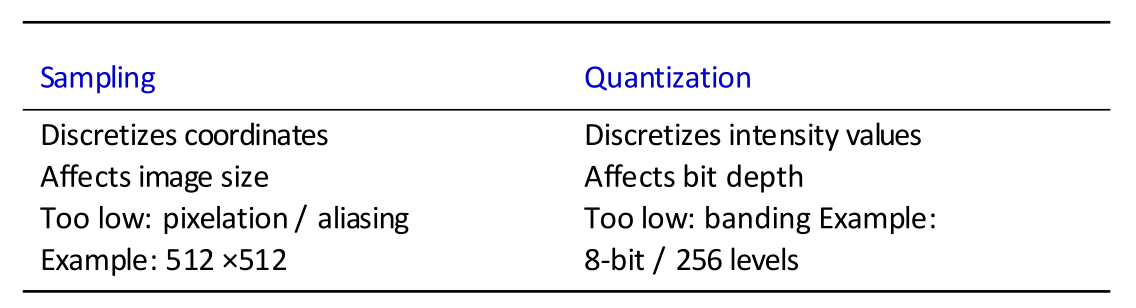
We need both for a clear, high resolution image.
Bits, Bytes, Pixels, and Raw Storage
Basic units
- A bit is one binary value:
0or1 - A byte contains
8 bits - A pixel is one sampled position in an image
- A grayscale pixel has one intensity channel
- An RGB pixel has three colour channels: red, green, and blue
Bit depth states how many bits store each intensity or channel value. A bit depth of gives:
For example, an 8-bit channel has possible values, from 0 to 255. A 12-bit grayscale pixel has possible intensity levels.
Bytes required for each pixel
For an 8-bit grayscale image:
For an RGB image with 8 bits per channel:
Raw image storage
where:
- is the image width in pixels
- is the image height in pixels
- is the number of channels
- is the bit depth of each channel
The course uses:
Example 1: One RGB pixel
An RGB pixel with 8 bits per channel requires:
Example 2: A RGB image
The image contains:
Each pixel requires 3 bytes, so the raw storage is:
Convert bytes to MB:
Pixel count and storage size are different. Pixel count uses only . Storage also uses the number of channels and the bit depth.